In brief
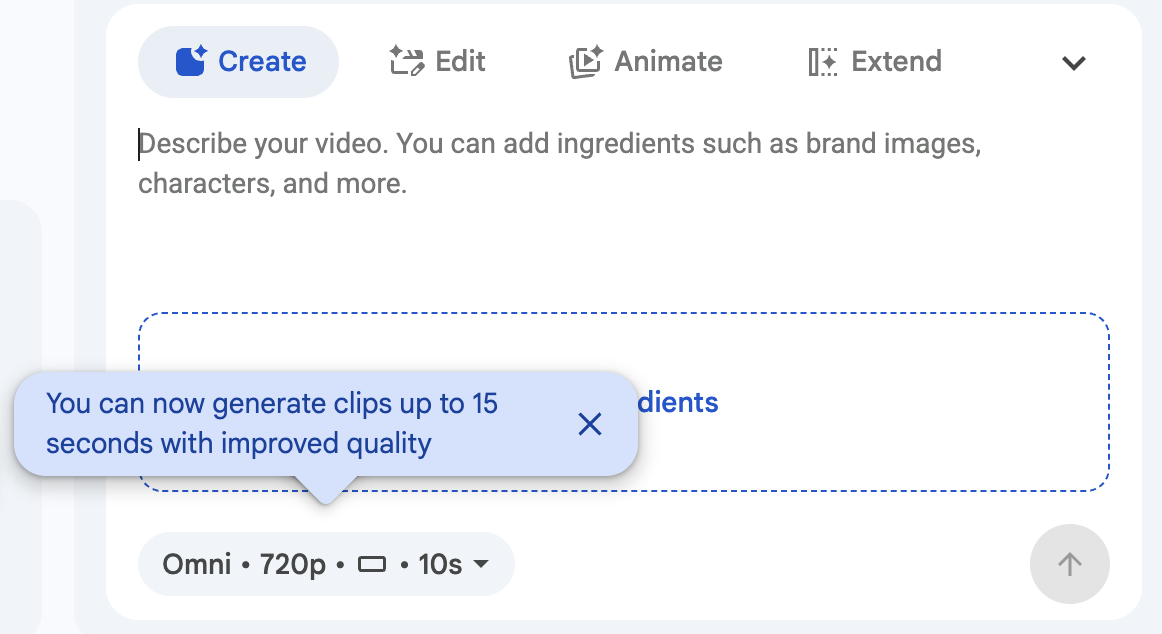
- The update supports generated clips up to 15 seconds long.
- Access is rolling out; check your account and usage limits.
- Review and label generated footage before publishing.
More room for one short idea
Google announced Gemini Omni 1.2 Flash for Vids on November 5, 2026. It can generate clips lasting between 3 and 15 seconds. Google also claims improvements in visual consistency and voices. These are the provider’s claims, not findings from an independent En Foco test.
An announcement does not mean instant access
The rollout starts on November 5, with Google expecting availability within one to three days. It covers personal accounts and various Workspace editions; usage limits depend on the access included in your plan. Check the official eligibility list before scheduling work that depends on this tool.
Keep editorial control over the result
For a short video, start with a single idea: what viewers should see, what they should understand and where the scene should end. A longer clip does not need more messages. A transition, for instance, may work better with one simple movement than with several changes of setting.
Then review the result without sound, followed by a second pass with sound. This separates two questions: whether the image communicates your intended idea and whether the voice supports it. Check text, objects and continuity before adding the clip to an edit.
If the footage depicts an invented situation, label it accordingly. A generated scene can help explain an idea, but it does not prove that an event happened. Keep sources and permissions for the materials you use: an editing tool does not replace that review.
Sources and context
Sources used for this article. Follow the links to read the original material.
See the linked sources for more information. Corrections and contact →